Databases, RDBMS & SQL Basics
Understand what a database is, how relational databases organise data into tables, the vocabulary of SQL, the four families of SQL statements (DDL, DML, DCL, TCL), how SQL compares with Excel, and how to install SQL Server and SSMS and run your first query.
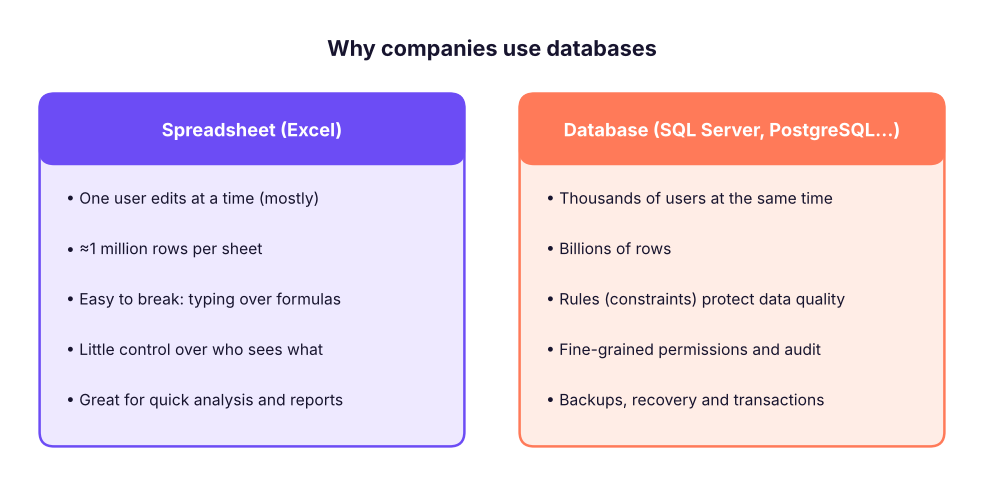
- Explain what a database, a DBMS and an RDBMS are and why companies use them instead of spreadsheets
- Use the core vocabulary (table, row/record, column/field, schema, query, result set)
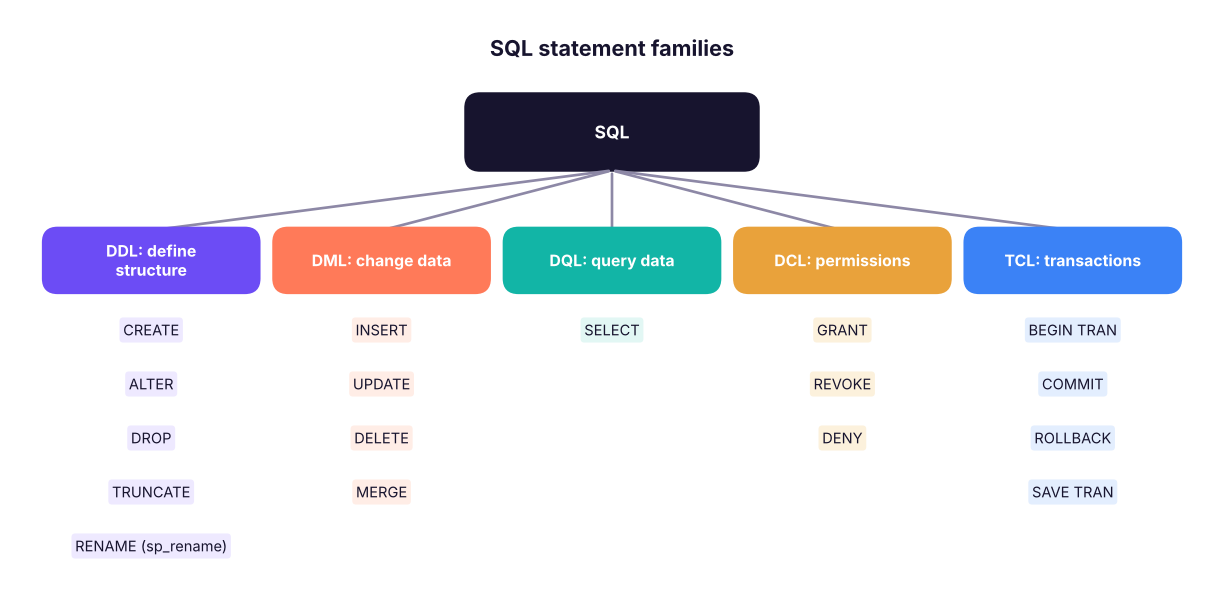
- Classify SQL statements into DDL, DML, DQL, DCL and TCL
- Compare Excel and SQL and know when to use each
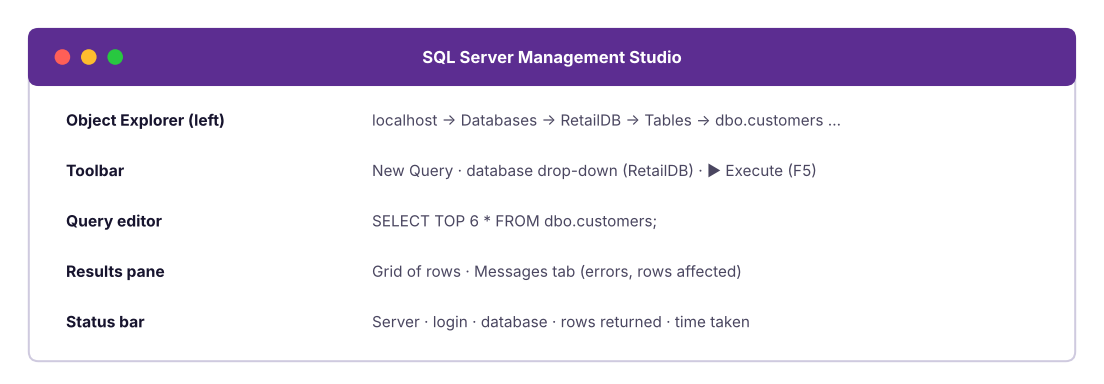
- Install SQL Server Developer edition and SSMS, connect, create a database and run a first SELECT
What is a database?
A database is an organised collection of data stored so that it can be found, updated and analysed efficiently and safely by many people at the same time. A DBMS (database management system) is the software that manages it. Your bank balance, every Swiggy order, every Aadhaar-linked record and every hospital appointment lives in a database.
Types of databases
| Type | Organises data as | Examples | Typical use |
|---|---|---|---|
| Relational (RDBMS) | Tables with rows and columns, linked by keys | SQL Server, PostgreSQL, MySQL, Oracle, SQLite | Orders, payments, HR, finance: most business data |
| Document | JSON-like documents | MongoDB, Cosmos DB | Product catalogues, app content |
| Key-value | Key → value pairs | Redis, DynamoDB | Caching, sessions |
| Column-family / warehouse | Columns, built for analytics | Snowflake, BigQuery, Redshift, Databricks SQL | Analytics on huge data |
| Graph | Nodes and edges | Neo4j | Social networks, fraud rings |
| Vector | Number vectors (embeddings) | pgvector, Pinecone | AI search and RAG (GenAI track) |
This track focuses on relational databases and SQL, the language almost every data role uses daily. You will practise in Microsoft SQL Server with SSMS, as in class. The SQL you learn transfers to PostgreSQL, MySQL, Snowflake and BigQuery with small differences in functions.
How a relational database organises data
The vocabulary
Table (relation): a set of rows about one kind of thing, such as customers or orders.
Row (record, tuple): one item, such as one customer.
Column (field, attribute): one property, such as city. Every value in a column has the same data type.
Primary key: the column (or columns) that uniquely identifies each row, such as customer_id.
Foreign key: a column that refers to the primary key of another table, linking them.
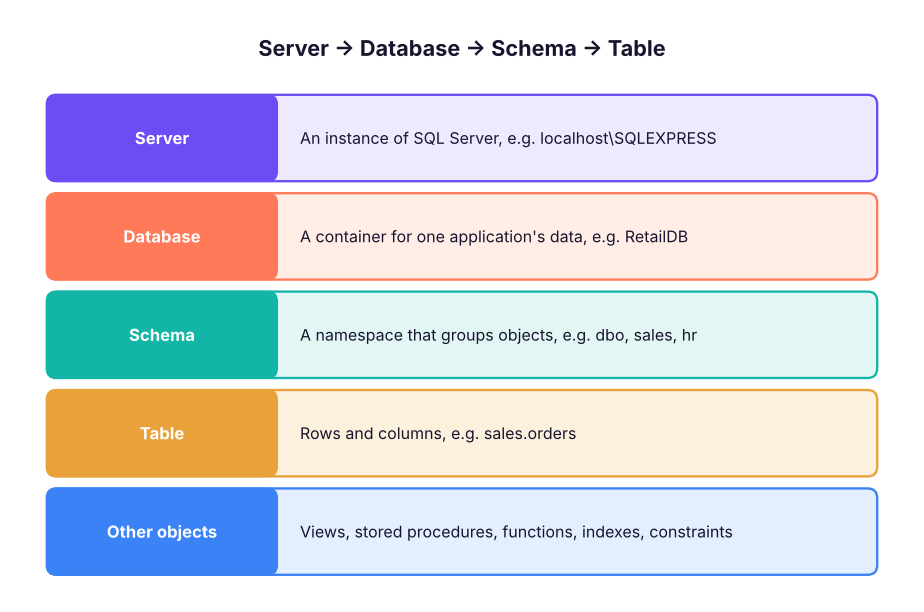
Schema: (1) the structure of the database (tables, columns, types, relationships); (2) in SQL Server, a named container of objects such as dbo.
Query: a request for data written in SQL. Its output is a result set.
SQL: Structured Query Language, the standard language for relational databases (ANSI/ISO standard since 1986–87). Pronounced "S-Q-L" or "sequel".
T-SQL: Transact-SQL, Microsoft SQL Server's dialect with extra features (variables, TOP, procedures).
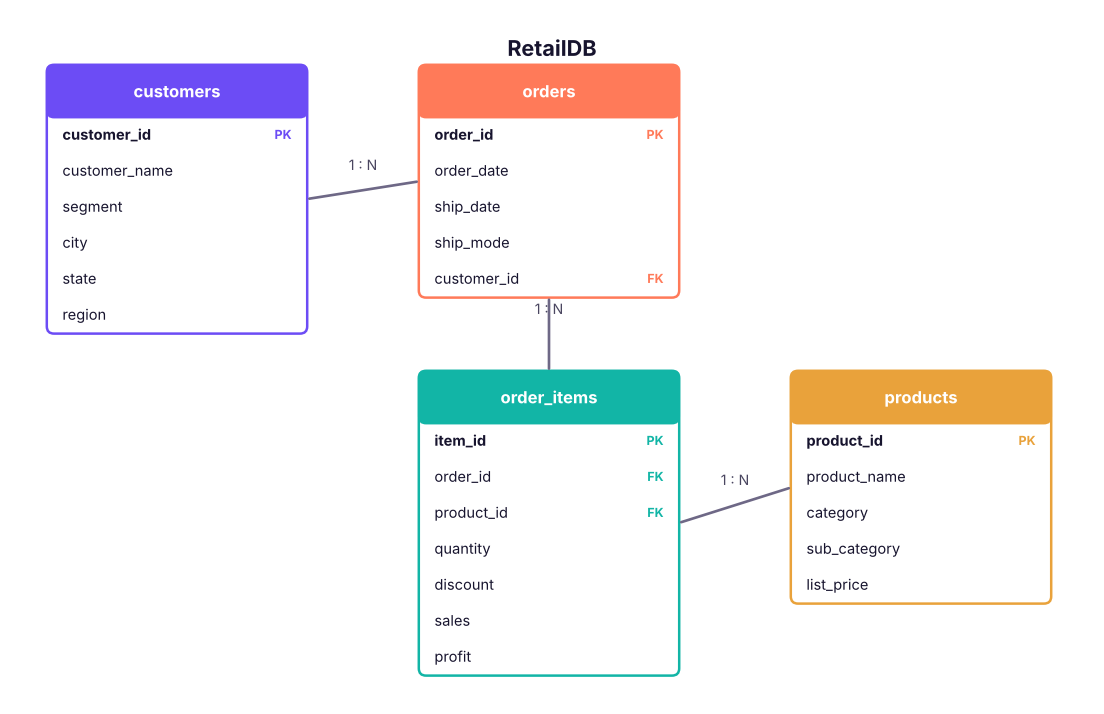
Here is the course's retail database. The order data is split into related tables instead of one wide sheet:
Your first queries
A SELECT statement asks for columns FROM a table. Here are the first rows of the customers table:
SELECT TOP 6 customer_id, customer_name, segment, city, region
FROM customers;| customer_id | customer_name | segment | city | region |
|---|---|---|---|---|
| C0001 | Saanvi Khan | Corporate | Chandigarh | North |
| C0002 | Meera Bose | Corporate | Delhi | North |
| C0003 | Riya Shah | Consumer | Kolkata | East |
| C0004 | Diya Fernandes | Corporate | Indore | West |
| C0005 | Neha Sharma | Corporate | Hyderabad | South |
| C0006 | Vikram Mehta | Consumer | Chandigarh | North |
How many rows are in each table?
SELECT 'customers' AS table_name, COUNT(*) AS row_count FROM customers
UNION ALL SELECT 'orders', COUNT(*) FROM orders
UNION ALL SELECT 'order_items', COUNT(*) FROM order_items
UNION ALL SELECT 'products', COUNT(*) FROM products;| table_name | row_count |
|---|---|
| customers | 800 |
| orders | 3200 |
| order_items | 6323 |
| products | 78 |